Best Hardware for Home Assistant in 2026: Green vs Pi 5 vs Mini PC vs NUC
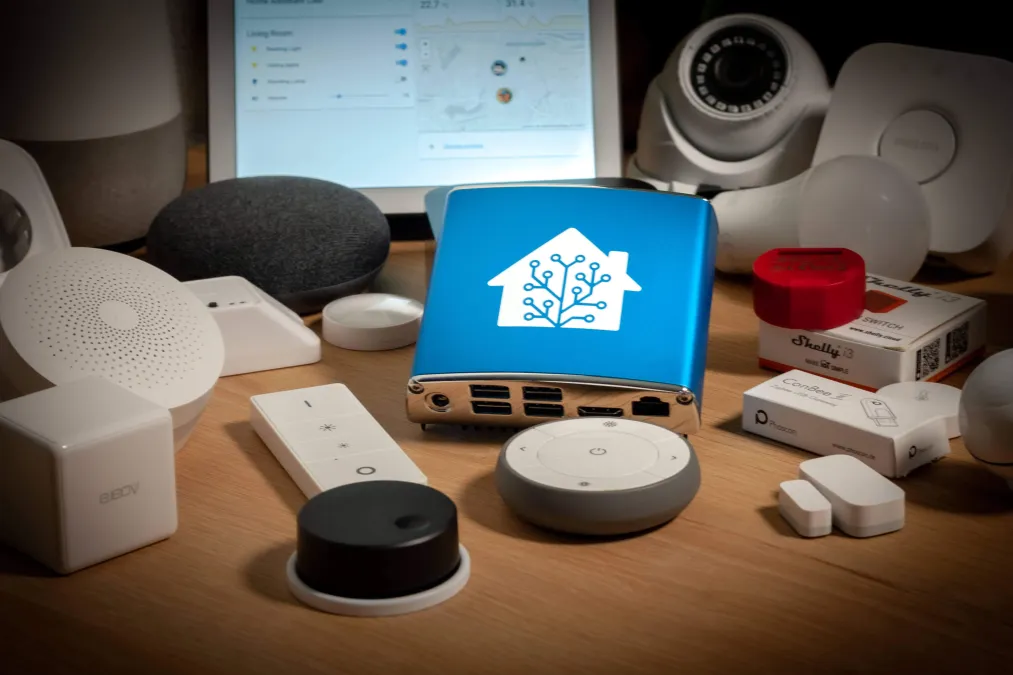
I've run Home Assistant on four different pieces of hardware over the past three years. Not because I'm indecisive - because my setup kept outgrowing whatever I was running it on. That progression taught me more about what actually matters in HA hardware than any spec sheet ever could.
Here's the thing nobody tells you upfront: the hardware decision barely matters when you're starting out, and matters enormously once you're deep in. A $99 box and a $500 mini PC both turn your lights on. The difference shows up six months later when you've got 150 devices, a dozen add-ons, and you're wondering why your automations have a two-second delay.
The Quick Answer
If you just want the recommendation without the reasoning: buy an N100 mini PC. They're $130-180 for a complete system, they handle basically everything, and you won't outgrow one for years. The Beelink S12 Pro or GMKtec G3 are both solid picks. If you want something that's just plug and play, you can't go wrong with a Home Assistant Green.
But if you want to understand why, and which exceptions apply to you, keep reading.
The Contenders
| Hardware | Price (Complete) | Setup Time | Idle Power | Best For |
|---|---|---|---|---|
| HA Green | $159 | 5 minutes | ~2W | Trying HA risk-free, plug and play |
| Raspberry Pi 5 (8GB + NVMe) | $120-160 | 30-60 minutes | ~5W | Tinkerers who already own Pi stuff |
| N100 Mini PC | $130-200 | 20-30 minutes | ~6W | Almost everyone |
| ASUS NUC / Business Refurb | $100-600 | 20-30 minutes | ~15W | Camera-heavy setups, home lab types |
Home Assistant Green
The Home Assistant Green is Nabu Casa's official hardware. It's a small fanless box with HAOS pre-installed. Plug in Ethernet, plug in power, open your browser, and you're configuring your first automation. I timed it once - under four minutes from unboxing to the onboarding screen.
The Rockchip RK3566 inside isn't going to win any benchmarks. Four gigs of RAM, 32GB of eMMC storage, and that's it - no upgrade path. But for what it's designed to do, it's perfectly adequate.
The good
The setup experience is the best in the Home Assistant world, full stop. No flashing images, no BIOS menus, no terminal. My dad could set this up, and my dad still double-clicks links in emails. Updates are automatic. If something goes wrong, Nabu Casa actually supports it - you're not posting on a forum and hoping someone responds.
Power consumption is almost nothing. I measured 2.1 watts at idle and maybe 4 watts during a backup. That's roughly $4 a year in electricity. You could run it off a decent USB power bank during an outage.
The not-so-good
I ran the Green for about four months before I hit the wall. With 60-ish devices and a handful of add-ons (ESPHome, Node-RED, HACS), things were fine. Then I added the Recorder database customization, a couple more integrations, and suddenly the dashboard was taking 3-4 seconds to load. Not broken, just sluggish enough to be annoying.
The 32GB eMMC is the real constraint. Home Assistant's database grows faster than you'd expect, and once you start adding add-ons, that space disappears. You can plug in a USB drive for storage, but then you're fighting with USB reliability on a board that doesn't have the best USB implementation.
And no Zigbee or Z-Wave built in. You'll need USB dongles, which is fine - most people use a SkyConnect or Sonoff dongle anyway. Just know you'll have a little USB octopus hanging off the back.
The verdict
The Green is an excellent trial device. If you're not sure HA is for you, spending $99 to find out is reasonable. Your entire configuration backs up to a file and restores on any other hardware, so you're not locked in. Think of it as a $99 test drive with a guaranteed trade-in.
But I'd be lying if I said I recommend it as a long-term solution. Most people who stick with HA outgrow it within a year.
Raspberry Pi 5
The Pi has been the default HA hardware since roughly forever, and the Pi 5 is a genuine leap. The Cortex-A76 cores at 2.4GHz make it feel like a completely different animal than the Pi 4. Backups that took two-plus minutes now finish in 30 seconds. Dashboard loads are snappy. The difference is night and day.
But the Pi 5 exists in a weird spot in 2026, and I think a lot of people choose it out of habit rather than logic.
The good
Community support is unmatched. Whatever problem you run into, someone has already hit it, solved it, and written a forum post about it. There are YouTube videos for every possible configuration. If you learn well from tutorials, the Pi ecosystem is unbeatable.
The Pi 5 also has PCIe now, which means proper NVMe storage through a HAT. This matters. Running HA on an SD card was always the Pi's dirty secret - those cards would corrupt themselves after 6-12 months of constant database writes. NVMe eliminates that problem entirely.
If you're already invested in Pi hardware - cases, HATs, power supplies - the upgrade path is straightforward. And GPIO pins still matter if you're doing ESPHome development or wiring up physical buttons and sensors.
The not-so-good
Here's my problem with the Pi 5 recommendation in 2026: by the time you build a proper setup, you've spent more than a mini PC. Let me add it up. The 8GB board is $80. A decent case is $15. The official power supply is $12. An NVMe HAT is $15-25. A 256GB NVMe SSD is $25. An active cooler is $5-10. You're at $150-165 and you've got something roughly a quarter as powerful as a $150 N100 mini PC that comes ready to go.
The Pi 5 also still has the single USB 3.0 bus bottleneck for all its ports, which matters if you're running a Zigbee dongle, a Coral TPU, and external storage simultaneously. I had USB disconnection issues with that exact combo on a Pi 4, and while the Pi 5 is better, it's not immune.
Also: availability. I know the chip shortage is mostly over, but the Pi Foundation's pricing and availability have been unreliable enough over the years that I'm hesitant to recommend building critical infrastructure on it.
The verdict
If you already have Pi stuff lying around and enjoy the ecosystem, the Pi 5 is a solid HA platform. If you're buying from scratch specifically for Home Assistant, I think the N100 is a better use of your money. That's not a popular opinion in some corners of the HA community, but the math doesn't lie.
Mini PCs with Intel N100
This is what I'm currently running, and what I recommend to most people who ask. The N100 mini PCs from brands like Beelink, TRIGKEY, and GMKtec have hit a price-performance sweet spot that's hard to argue with.
My Beelink S12 Pro cost $160 on Amazon. It came with 16GB of RAM, a 500GB SSD, Windows 11 (which I immediately wiped), and dual Ethernet ports. It's been running HAOS for about 14 months without a single hiccup.
The good
Performance headroom is the big one. The N100's four E-cores at 3.4GHz boost absolutely demolish the Pi 5 and the Green for HA workloads. My dashboard loads instantly. Backups take about 12 seconds. I'm running ESPHome, Node-RED, Music Assistant, Frigate with two cameras, and about 180 devices, and CPU usage rarely tops 15%.
The Frigate performance specifically is what pushed me to upgrade from the Pi. I added a Coral USB TPU for AI detection, and with two 1080p cameras doing person/vehicle detection, inference times are under 10ms. People running 6-8 cameras on N100 boxes report CPU usage around 40-50% - still plenty of headroom.
Dual Ethernet is an underrated feature. I've got one port on my main network and one on an IoT VLAN. No USB Ethernet adapters, no switch port trunking - just clean separation.
And the storage situation is just better. A 500GB SSD means I never think about space. The HA database can grow as large as it wants, I can keep months of camera clips locally, and I still have room for whatever add-on I want to try next.
The not-so-good
Build quality varies by brand and model. My Beelink has been great, but I've heard stories about some of the cheaper brands with poor thermal design or noisy fans. Read reviews - specifically ones that mention running the device 24/7, not just benchmarks. A mini PC that's fine for occasional desktop use might have a whiny fan that drives you crazy in a closet.
The N100 is single-channel RAM only, which limits memory bandwidth. For HA this doesn't really matter. For running VMs alongside HA, you might notice it.
These are x86 machines, which means they draw a bit more power. My Beelink idles at about 6 watts and peaks around 14 watts under heavy Frigate load. That's $8-18 a year depending on your rates. Not a meaningful difference for most people, but worth noting if you're optimizing for absolute minimum power.
The verdict
For the vast majority of Home Assistant users - beginners and advanced alike - an N100 mini PC is the right call. It's cheap enough that it's not a major investment, powerful enough that you won't outgrow it, and standard enough that you're not dealing with ARM compatibility quirks. It's the boring, correct answer.
ASUS NUC and Business Refurbs
I'm grouping these together because the use case is the same: you want serious x86 performance in a compact form factor.
Intel sold the NUC brand to ASUS in 2023, so current models are "ASUS NUCs." They range from Core i3 up to Core i7, with up to 64GB of RAM and multiple storage slots. Build quality is genuinely excellent - better cooling, better components, designed for continuous operation.
But here's the thing: for pure Home Assistant duty, even a current-gen ASUS NUC with an i5 is absurd overkill. You're buying a Ferrari to drive to the grocery store.
When a NUC makes sense
NUCs become reasonable if Home Assistant is just one of several things running on the box. If you're also running Plex, a NAS, Pi-hole, Nextcloud, or a pile of Docker containers, the extra horsepower matters. At that point you're not buying HA hardware - you're buying a home server that happens to also run HA.
The refurbished business PC secret
Before you spend $400+ on a new NUC, check eBay for refurbished Dell OptiPlex Micro, HP EliteDesk Mini, or Lenovo ThinkCentre Tiny units. These are the tiny PCs that corporations buy by the pallet and dump after a three-year lease.
Right now you can find 8th or 9th gen Core i5 machines with 16GB RAM and a 256GB SSD for $80-120. That's more powerful than an N100, at the same price or cheaper, with enterprise-grade build quality.
The trade-off is power consumption. A 9th-gen i5 idles at 12-18 watts compared to the N100's 6 watts. Over a year that's maybe an extra $10-15 in electricity. For the performance jump, I think that's a fair trade - especially if you're planning to run anything beyond basic HA.
I've got a friend running HA on an $85 OptiPlex Micro with a 10th-gen i5, and it handles Frigate on six cameras, Plex transcoding, and a dozen containers without breaking a sweat. At that price, it's almost irresponsible not to recommend it.
What About Power Costs?
Since whatever you pick runs 24/7/365, electricity is a real running cost. At the US average of $0.16/kWh:
| Device | Typical Idle Draw | Under Load | Yearly Cost (est.) |
|---|---|---|---|
| HA Green | 2W | 4W | $3-5 |
| Raspberry Pi 5 | 5W | 8W | $7-11 |
| N100 Mini PC | 6W | 15W | $8-21 |
| ASUS NUC (i5) | 15W | 35W | $21-49 |
| Refurbished i5 | 12W | 30W | $17-42 |
Honestly, none of these are going to show up meaningfully on your electricity bill. The difference between the cheapest and most expensive option is maybe $3-4 per month. If that's your deciding factor, you're overthinking it.
The Accessories That Actually Matter
Whatever hardware you pick, a few add-ons make a real difference:
Zigbee/Thread coordinator
The Home Assistant SkyConnect ($30) handles both Zigbee and Thread over USB. It's what I use and it's been completely reliable. The Sonoff Zigbee 3.0 Dongle Plus is a solid alternative at $25 if you don't need Thread.
Coral TPU (if running Frigate)
The Google Coral USB Accelerator transforms Frigate performance. Without it, object detection runs on CPU and each camera eats 15-25% of an N100's processing power. With the Coral, inference drops to single-digit milliseconds and CPU impact is negligible. It's the single most impactful accessory you can add if you're doing camera AI.
Fair warning: Coral availability has been spotty. If you see one in stock at a reasonable price, buy it.
UPS
A small UPS ($40-60) prevents database corruption during power outages. Home Assistant's SQLite database does not like unexpected shutdowns. Ask me how I learned that. A CyberPower CP425SLG keeps my N100 running for about 45 minutes during outages - long enough for most of them, and Home Assistant can auto-shutdown gracefully if the battery gets low.
USB extension cable
This sounds silly, but put your Zigbee coordinator on a 6-foot USB extension cable, away from the computer. USB 3.0 ports generate RF interference on the 2.4GHz band that Zigbee uses. I chased intermittent Zigbee drops for weeks before learning this. A $5 extension cable fixed it immediately.
My Recommendation Ladder
You're curious about HA and want zero friction: Home Assistant Green. $99, works in five minutes, no regrets if you decide HA isn't for you.
You're committed to HA and want the best value: N100 mini PC (Beelink S12 Pro, GMKtec G3, or similar). $130-180, handles everything short of heavy multi-camera AI, and even handles that with a Coral TPU.
You want a home server that also runs HA: Refurbished Dell OptiPlex Micro or HP EliteDesk from eBay. $80-120 for serious performance. Best bang-for-buck in computing right now.
You want the absolute best and don't care about cost: ASUS NUC with an i5 or i7. $400-600 but you'll never think about hardware again.
You already own Pi stuff and like the ecosystem: Raspberry Pi 5 with 8GB and an NVMe HAT. $140-160, capable and well-supported. Just please don't use an SD card.
The Most Important Thing
Your Home Assistant configuration is completely portable. A full backup is a single file that restores on any supported hardware. I've moved my setup from a Pi 4 to the Green to the Beelink, and each migration took under an hour including the fresh OS install.
So don't agonize over this decision. Pick something that fits your budget and comfort level, start building automations, and upgrade later if you need to. The hardware is the least interesting part of Home Assistant - the automations you build on it are what actually matter.
Sizing by Household: Which Box for How Many Devices
Every recommendation above assumes a household. Here is the mapping, because “it depends on your setup” is useless advice without the thresholds attached.
The number that matters is not device count, it is entity count. A single smart plug with energy monitoring can expose six entities. Check yours under Developer Tools before deciding.
| Entities | Typical household | What holds up | What to avoid |
|---|---|---|---|
| Under 300 | Apartment, lighting and a few sensors | Anything on this page, HA Green included | Nothing — you cannot get this wrong |
| 300–800 | Family home, several integrations, one or two add-ons | HA Green, Pi 5 with NVMe, any N100 | Pi 4, and Pi 5 on SD card |
| 800–2,000 | Heavily automated house, energy monitoring, presence sensors | N100 mini PC comfortably; Pi 5 with NVMe if you skip camera work | HA Green once you add a database-heavy add-on |
| Over 2,000, or any camera work | Frigate, multiple streams, long history retention | N100 minimum, refurbished business PC if you want headroom | Every ARM board on this page |
The jump that catches people is the third row. A setup that ran happily for a year starts feeling sluggish not because anything broke, but because the recorder database quietly grew past what the storage can serve.
What Breaks When You Outgrow a Pi
Outgrowing your hardware does not announce itself. Home Assistant does not throw an error that says “buy a bigger box.” It degrades, in a fairly predictable order.
1. The recorder database gets slow before anything else does
This is almost always the first symptom, and it is the one people misdiagnose most often. History and Logbook take several seconds to load. The energy dashboard stalls. Meanwhile automations still fire instantly, so it does not feel like a performance problem — it feels like a UI bug.
It is not. The recorder database has grown past what your storage can serve quickly. On an SD card this arrives early and hard.
2. Restarts stretch out
A restart that used to feel quick starts taking long enough that you avoid doing it. That avoidance is the real cost: you stop applying updates because a restart has become an event.
Time your own restart today and write the number down. It is the single most useful benchmark you have, because it is measured on your config rather than someone else's.
3. Add-ons start competing
Individually, Zigbee2MQTT, ESPHome, Node-RED, and a database add-on all run fine on modest hardware. Together they contend for the same limited I/O. Symptoms show up as intermittent Zigbee dropouts or delayed automations that work perfectly when you test them by hand.
This one is genuinely hard to diagnose, because nothing is broken — everything is just slightly too slow, some of the time.
4. Video ends the argument
Frigate with more than one stream is where ARM boards stop being viable, with or without a Coral TPU. The TPU handles inference; it does not handle decoding. If you are adding cameras, skip straight to x86.
The SD card caveat
If you are running a Pi from an SD card, address that before buying anything. A large fraction of “my Pi is too slow” conclusions are really worn SD cards, and an NVMe hat costs a fraction of new hardware. Move to NVMe first, then reassess — you may not need to upgrade at all.
Common Questions
Home Assistant Green vs Raspberry Pi 5: which is better in 2026?
Green if you want it to work without decisions; Pi 5 with an NVMe drive if you want more headroom and do not mind assembling it. The Pi 5 is the faster machine once it is on proper storage. On an SD card it is the slower one.
Home Assistant Green vs a mini PC in 2026?
An N100 mini PC outperforms Green by a wide margin and costs modestly more. Green wins on simplicity, size, and idle power. If you expect to add cameras or run several add-ons, the mini PC is the purchase you will not have to repeat.
Is a Raspberry Pi 5 still enough for Home Assistant?
For most households, yes — on NVMe, without camera processing. It is a capable machine held back almost entirely by what people plug into it for storage.
How do I know when to upgrade?
Watch restart time and history load time. Both climbing steadily while your config has not changed much means storage or I/O has become the bottleneck.