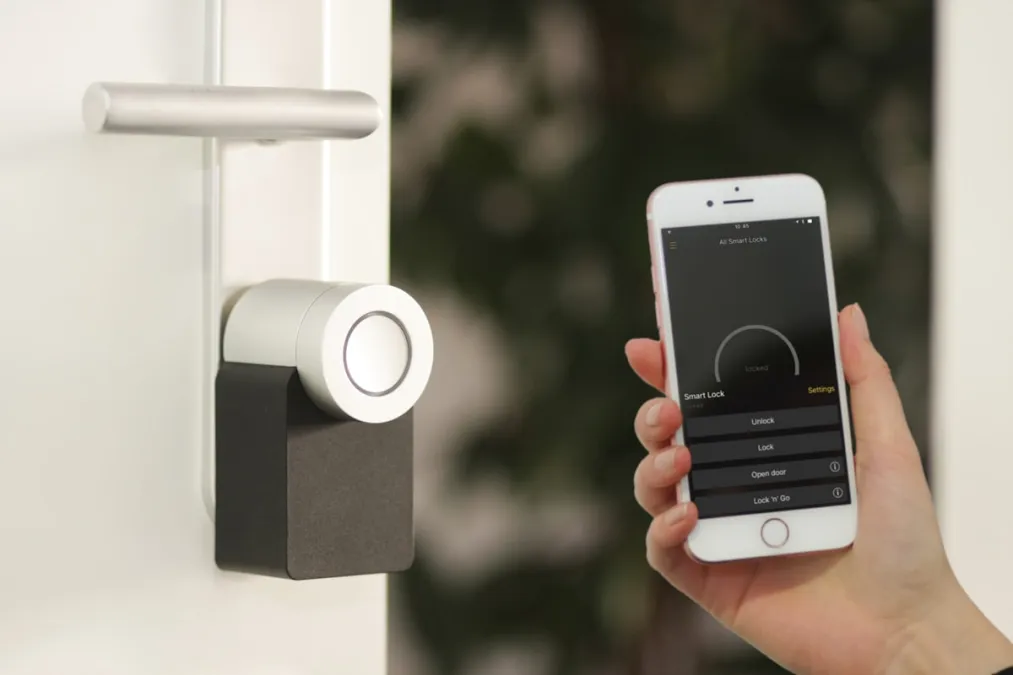
Getting Started with Smart Home Automation
What is Smart Home Automation?
Smart home automation refers to the use of connected devices and systems that can be controlled remotely or programmed to operate automatically. These devices communicate over your home's WiFi network, Zigbee, Z-Wave, or Thread protocols to create an interconnected ecosystem that responds to your needs.
Whether you're looking to save energy, improve security, or simply add convenience to your daily routine, smart home technology offers solutions for every budget and skill level.
The Building Blocks of a Smart Home
1. Smart Hub or Controller
While many devices work independently, a smart hub brings everything together. Popular options include:
- Apple HomeKit - Best for iPhone/iPad users who want local processing and privacy
- Amazon Echo - Great voice control and widest device compatibility
- Google Home - Excellent for Google services integration and natural language
- Home Assistant - Ultimate flexibility for advanced users
- Hubitat Elevation - Local processing with no cloud dependency
2. Smart Lighting
Lighting is often the best starting point for smart home beginners. Options range from simple smart bulbs to complete systems:
- Smart Bulbs - Replace existing bulbs (Philips Hue, LIFX, Nanoleaf)
- Smart Switches - Control existing fixtures (Lutron, Inovelli, Zooz)
- Smart Plugs - Make any lamp smart (TP-Link Kasa, Meross)
3. Climate Control
Smart thermostats can reduce your energy bills by 10-25% while keeping you comfortable:
- Ecobee Smart Thermostat Premium - Room sensors and excellent HomeKit support
- Google Nest Learning Thermostat - Learns your schedule automatically
- Honeywell Home T6 Pro - Professional-grade with Z-Wave support
4. Security & Monitoring
Protect your home with smart cameras, doorbells, and locks:
- Video Doorbells - See who's at your door from anywhere
- Smart Locks - Keyless entry with guest codes
- Security Cameras - Indoor and outdoor monitoring
- Sensors - Motion, door/window, water leak detection
Getting Started: A Step-by-Step Approach
Step 1: Choose Your Ecosystem
Before buying devices, decide which ecosystem best fits your needs. Consider:
- What phones/tablets does your household use?
- Do you prefer voice control?
- How important is privacy and local processing?
- What's your technical comfort level?
Step 2: Start with One Room
Don't try to automate your entire home at once. Pick one room - the living room is often ideal - and build out from there. This lets you learn the technology without overwhelming yourself.
Step 3: Focus on High-Impact Automations
Start with automations that provide real daily value:
- Morning routine - Lights gradually brighten, thermostat adjusts, coffee maker starts
- Leaving home - Lights off, thermostat to away mode, doors locked
- Arriving home - Porch light on, door unlocked, climate adjusted
- Bedtime - All lights off, doors locked, security armed
Step 4: Build Gradually
Add devices as needs arise rather than buying everything at once. This approach:
- Spreads out costs
- Lets you learn each device thoroughly
- Allows you to take advantage of sales and new products
Common Mistakes to Avoid
Buying incompatible devices: Always check compatibility before purchasing. Look for devices that support your chosen ecosystem.
Weak WiFi: Smart devices need reliable connectivity. Consider mesh WiFi if you have dead zones.
Over-automating: Not everything needs to be smart. Focus on automations that genuinely improve your life.
Ignoring security: Use strong passwords, enable two-factor authentication, and keep firmware updated.
The Future is Matter
The new Matter protocol promises to solve many compatibility issues. Devices with Matter support work across all major ecosystems, making your smart home more flexible and future-proof. When shopping for new devices, look for the Matter logo.
Ready to Begin?
Smart home automation might seem complex at first, but by starting small and building gradually, you'll soon wonder how you ever lived without it. Browse our product guides to find the perfect devices for your home, and check out our Getting Started guide for personalized recommendations based on your needs.