Your First Week with Smart Home Automation: A Day-by-Day Guide
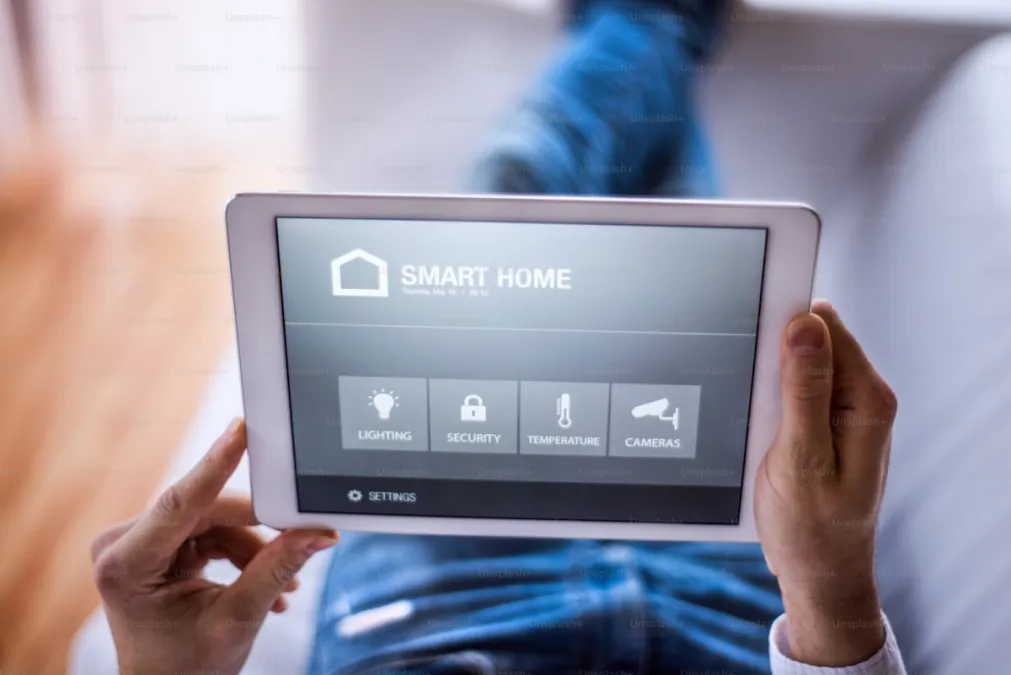
It Started With a Light Bulb
I didn't plan to smart-home my entire house. I bought a single smart bulb because it was $12 on sale and I thought it'd be fun to turn my lamp off from bed. Seven days later, I had a smart speaker, four more bulbs, a smart plug on my coffee maker, and a growing conviction that I was either onto something life-changing or developing an expensive new obsession. Turns out it was both.
Here's what my first week actually looked like -- not the sanitized "Day 1: unbox, Day 2: configure" version, but the real thing, with the late-night troubleshooting, the dumb mistakes, and the moment it all clicked.
Day 1: The "Wait, That's It?" Phase
Setting up my first smart bulb took roughly four minutes. I screwed it in, downloaded the app, and it found the bulb immediately. I turned it on and off from my phone a few times, feeling vaguely like a wizard. Then I changed it to blue. Then green. Then I spent twenty minutes cycling through colors like a kid with a new toy, which is exactly what I was.
The immediate realization: controlling a single light from your phone is a novelty. It's not actually more convenient than the wall switch, and it requires you to have your phone in your hand. If someone had told me this was the peak of smart home technology, I'd have returned the bulb.
What nobody tells you on Day 1: the magic isn't in controlling one device from your phone. It's in connecting things together and automating them. But you can't appreciate that yet because you don't have enough pieces. Don't worry. You'll get there fast.
My Day 1 mistake: I named the bulb "Smart Bulb 1." Don't do this. Name it by location: "Bedroom Lamp" or "Desk Light." You'll thank yourself later when you're shouting voice commands and can't remember which bulb is which.
Day 2: Adding Voice Control (And Feeling Ridiculous)
I set up a smart speaker on Day 2 -- in my case, an Echo Dot, because it was $25 on Prime Day. The first time I said "Alexa, turn on the bedroom lamp" and the light actually came on, I felt a genuine rush of excitement immediately followed by a wave of self-consciousness. I'm a grown adult yelling commands at a hockey puck on my nightstand.
That self-consciousness lasted about two days. By Day 4, I was shouting commands from across the house without a second thought, and my hands were full of groceries when the lights came on and I thought: okay, yes, this is actually useful.
Day 2 was also when I discovered that voice assistants are bad at similar device names. "Turn on bedroom light" vs. "turn on bedroom lamp" vs. "turn on bedroom lights" will sometimes hit different devices or fail entirely. Be deliberate about naming from the start. I use a simple pattern: [Room] [Device Type]. Kitchen lights. Living room fan. Bedroom lamp. Bathroom speaker. No ambiguity.
My Day 2 surprise: Timers and alarms through a smart speaker are incredible for cooking. "Set a timer for 12 minutes" while my hands are covered in flour is something I now use literally every time I cook. This had nothing to do with home automation and everything to do with daily convenience.
Day 3: The Second Device Changes Everything
I added three more smart bulbs on Day 3 (kitchen overhead, living room lamp, hallway) and that's when the shift happened. With a single smart bulb, you have a novelty. With four lights across your house, you have a system. "Alexa, turn off all the lights" from bed was the first genuinely useful moment. No more walking through the house checking every room.
I also learned about groups and rooms on Day 3. Every smart home app lets you organize devices by room. Once I grouped all the lights properly, I could say "turn off the kitchen" and only the kitchen lights would respond. This seems obvious in retrospect but took me an embarrassingly long time to set up because I was too busy playing with the individual bulbs.
My Day 3 frustration: One of the new bulbs wouldn't connect to WiFi. Spent 45 minutes troubleshooting before discovering it only works on the 2.4GHz band, not 5GHz. Most smart home devices are 2.4GHz only. If your router combines both bands under one network name (which most modern routers do), this usually resolves itself, but some devices get confused. If a device won't connect, this is the first thing to check.
Day 4: My First Scene (And the "Oh, I Get It" Moment)
A scene is a preset that controls multiple devices with one command. I created one called "Movie Night" -- it dimmed the living room lamp to 15%, turned off the kitchen lights, and set the hallway to a dim warm white. Saying "Alexa, movie night" and watching three rooms simultaneously shift was the moment the whole smart home concept clicked for me.
It's not about controlling lights from your phone. It's about the house reshaping itself to match what you're doing. That's the fundamental shift in thinking, and it usually happens sometime around Day 4 when you create your first scene and watch it work.
I also created a "Goodnight" scene: all lights off. That's it. One command, done. The simple ones are often the most useful.
Day 5: The Smart Plug Revelation
I bought a smart plug on Day 5 and put it on my coffee maker -- the kind with a physical on/off switch. I loaded the coffee maker the night before with water and grounds, flipped the switch to "on" (but the plug was off, so no power). Then I set an automation: at 6:15 AM on weekdays, turn on the coffee plug.
I woke up the next morning to fresh coffee already brewed and waiting. Reader, I almost cried. This is the smart home moment that converts skeptics. Not changing bulb colors, not voice commands, but waking up to coffee that made itself because you told a $10 plug to turn on at a certain time.
Smart plugs are the most underrated smart home device. They turn any "dumb" appliance with a physical switch into a smart one: fans, lamps, space heaters (with safety caveats), coffee makers, you name it. At $10-15 each, they're also the cheapest way to expand your smart home.
Day 5 lesson: Automations -- things that happen on a schedule or trigger without you doing anything -- are the real power of a smart home. Scenes are convenient. Automations are transformative. The house starts anticipating you instead of waiting for instructions.
Day 6: Overcomplicating Everything (The Inevitable Phase)
Every smart home enthusiast goes through this phase. On Day 6, I went down a YouTube rabbit hole of automation ideas and tried to set up about fifteen things at once. Lights that change color based on the weather. A routine that plays a specific playlist at a specific time. An automation that turns on the bathroom fan when humidity rises (I didn't even have a humidity sensor).
Half of them didn't work. Some conflicted with each other. One automation was turning lights on at 2 AM because I set the time wrong. My wife, who had been tolerant up to this point, asked me to "please make the lights stop doing things" when the kitchen randomly changed to purple at 10 PM (a leftover from a test I forgot to delete).
This is normal. This is how you learn. The important thing is to build back toward simplicity: keep the automations that actually improve your day, delete the ones you set up because you could, not because you should.
Day 6 wisdom: The best automations are invisible. If a family member notices the automation, it's probably too complicated. The lights should just be on when they need to be on and off when they don't. The thermostat should just be comfortable. Nobody should have to think about it.
Day 7: Settling In and Planning Ahead
By Day 7, the novelty had faded and something better replaced it: routine. I stopped thinking about the technology and started just living with it. I said goodnight and the lights went off. I woke up to coffee. I walked into the kitchen and said "what's the weather" while pouring cereal. The house was slightly, incrementally better than it was a week ago.
I took stock of what was actually working:
- "Goodnight" scene: Used every single night. Worth the entire setup.
- Coffee automation: Life-changing. Not exaggerating.
- Voice-controlled lights: Especially useful with full hands or from bed.
- Kitchen timer by voice: Used multiple times daily while cooking.
And what wasn't:
- Color-changing bulbs: Fun for the first day, literally never used again.
- Individual light control from the app: I never open the app. Voice and automations handle everything.
- Complex multi-step routines: The more steps, the more likely something glitches.
What I Wish Someone Had Told Me Before Day 1
Start with the problem, not the device. Don't browse smart home gadgets looking for things to buy. Think about what annoys you about your house. Lights left on? Start there. Thermostat too manual? Start there. Packages getting stolen? A camera is your first purchase. The tech should solve a problem you already have.
Don't buy everything at once. Add one or two things per week. Live with them. Understand them. Then add more. The people who buy a $500 starter kit and try to set up everything on a Saturday afternoon end up frustrated and returning half of it.
Simple automations beat complex ones. "Turn on lights at sunset" is a better automation than a Rube Goldberg machine that adjusts twelve devices based on time, weather, occupancy, and day of the week. Start simple. You can always add complexity later, but you'll be surprised how often the simple version is all you need.
Everyone in the house needs to be on board. If your partner can't figure out how to turn on the lights because you removed all the regular switches, you've made the house worse, not better. Smart home tech should work for everyone, including guests who don't have the app, kids who don't have a phone, and relatives who think the cloud is only something in the sky.
Ready for more? Browse our Getting Started guide for personalized recommendations, or explore our complete product guides to plan your next additions.