Building a Smart Home on a Budget: Under $500 Setup
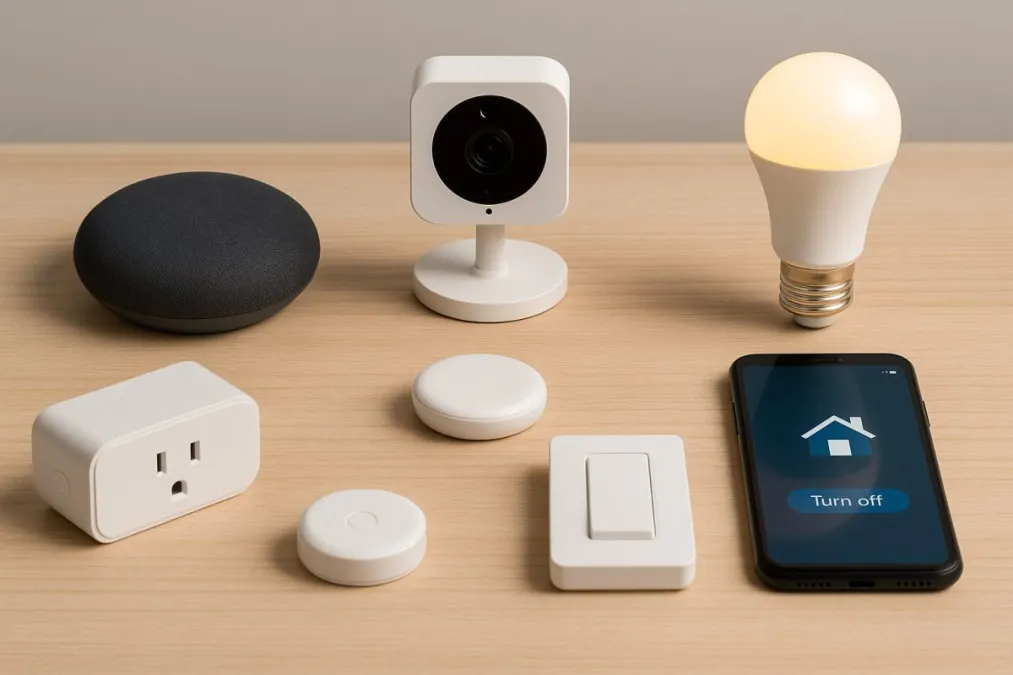
You don't need to spend a fortune to build a smart home that actually works. I know, because my first setup cost under $400 and covered lighting, climate, security sensors, and voice control. Three years later, I've upgraded plenty of things, but honestly? That initial budget setup handled 80% of what I needed. The remaining 20% was nice-to-have, not need-to-have.
Here's a practical, tested breakdown of how to build a real smart home for under $500.
The Voice Hub: $25-50
You need something to talk to. An Amazon Echo Dot (5th gen) runs $50 at full price but drops to $25 during sales (Prime Day, Black Friday, and honestly random Tuesdays). A Google Nest Mini hits the same price points. Either one gives you voice control for everything else you'll add.
Don't overthink this choice. If you have an iPhone, you might lean toward a HomePod Mini ($100), but at this budget level, the Echo Dot or Nest Mini gets the job done for half the price. You can always upgrade the hub later; the devices you connect to it will keep working.
One tip: put the speaker in a central location. I initially put mine in the living room, but moving it to the kitchen (where I actually use voice commands most) was a big improvement. You're usually hands-free in the kitchen, so that's where voice control shines.
Budget so far: ~$35 (sale price)
Smart Lighting: $60-100
Lighting is where you'll feel the biggest difference. There are two approaches, and the right one depends on your wiring.
Option A: Smart bulbs ($8-15 each)
If you rent or don't want to touch wiring, smart bulbs are the way to go. Wyze Bulbs at $8 each are remarkably good for the price. They support color temperature adjustment, work with Alexa and Google, and I've had a set running for over two years without a single failure. IKEA Tradfri bulbs ($10-13) are another solid budget choice.
Grab 6-8 bulbs for your main living areas: living room, bedroom, kitchen. Skip the closets and bathrooms for now.
Option B: Smart switches ($20-30 each)
If you own your home and have neutral wires in your switch boxes (most homes built after 2011 do), smart switches are the better long-term investment. A $25 switch controls every bulb on that circuit, so a single switch might replace $60 worth of smart bulbs. Plus, the switch still works as a normal physical switch, which eliminates the "don't flip that switch or the smart bulb loses power" problem.
I'd recommend 3-4 switches for your most-used rooms. Check out our Smart Switch Finder to figure out which switches work with your wiring.
Budget so far: ~$115
Smart Plugs: $25-35
A 4-pack of TP-Link Kasa smart plugs runs $25-35 and instantly makes any dumb device controllable. The things I use smart plugs for that have actually stuck over three years:
- Table and floor lamps. Not every light fixture has a wall switch, and smart plugs are cheaper than smart bulbs for lamps you don't need to dim.
- The coffee maker. My $30 drip coffee maker doesn't have a smart model, but with a smart plug and a physical "on" switch taped down, it starts brewing when my morning alarm goes off. Best $8 automation in my house.
- Christmas and holiday lights. Set them to turn on at sunset and off at 11 PM. No more crawling behind the tree to unplug them every night.
- Space heater in the home office. Turns on 15 minutes before I start work, turns off when I leave. The smart plug's energy monitoring also confirmed my space heater costs about $15/month to run, which was useful information.
Avoid the super-cheap no-name plugs on Amazon. Stick with TP-Link Kasa, Wyze, or Meross. The price difference is a few dollars and the reliability difference is significant.
Budget so far: ~$145
Smart Thermostat: $50-130
This is the device that actually pays for itself. A smart thermostat typically saves 10-15% on heating and cooling costs. For most households, that's $100-200 per year. The thermostat pays for itself within the first year.
The Amazon Smart Thermostat at $80 is the best budget option. It uses the same Honeywell hardware as more expensive models and integrates tightly with Alexa. The Wyze Thermostat at $50 is even cheaper but requires a C-wire adapter for some HVAC systems (included in the box, but installation can be tricky).
Before you buy, check with your electric utility. Many offer $50-100 rebates on smart thermostats, and some have programs where they'll install one for free. My utility gave me an $85 rebate on the Amazon thermostat, making it essentially free.
Budget so far: ~$225
Door/Window Sensors: $30-50
Sensors are the unsung hero of a smart home. A $20 door sensor can trigger your lights to turn on when you walk in, send you an alert when the kids get home from school, or warn you if you left the garage door open.
Aqara door sensors ($15-18 each) are the best value I've found. They're tiny, the batteries last about two years, and they work with HomeKit, Alexa, and Google (through an Aqara hub, $30). A starter setup: one on the front door, one on the back door, one on the garage door. Add window sensors later if you want.
If you're in the Alexa ecosystem, the Ring Alarm contact sensors ($20 each) work without a separate hub if you have a Ring Alarm base station. But the base station itself is another $200, so this path is only budget-friendly if you already have Ring.
Budget so far: ~$285
Video Doorbell: $50-80
A video doorbell is one of those devices that, once you have it, you wonder how you lived without it. Seeing who's at the door from your phone, getting package delivery alerts, and having recorded footage if something happens are all genuinely useful features.
The Wyze Video Doorbell ($50) is the budget champ. Video quality is good (not great in low light), and it includes basic cloud storage for free. The Blink Doorbell ($50) is another option if you prefer the Amazon ecosystem, with optional Blink subscription ($3/month) for extended video storage.
Either one is a massive upgrade over a peephole.
Budget so far: ~$345
Motion Sensor: $15-20
Add one motion sensor to your most-used room and create an automation: lights on when motion detected, lights off after 5 minutes of no motion. This one sensor eliminates the most common daily annoyance of "who left the lights on?" An Aqara motion sensor is $18 and works with the same hub as the door sensors.
Final total: ~$365
What This Gets You
For under $400, you have:
- Voice-controlled lights in your main rooms
- Automated climate control that pays for itself
- Smart plugs automating your coffee, lamps, and seasonal lights
- Door sensors that trigger lights and send arrival notifications
- Video doorbell for package and visitor monitoring
- Motion-triggered lighting in your busiest room
That's a legitimately smart home, not a demo. You'll use every one of these things daily. And the best part about starting with budget gear: when you eventually upgrade to premium devices, you'll know exactly what you want because you've been living with the affordable version. The expensive stuff is worth it when you know it's solving a problem you actually have.
Where to Save (and Where to Splurge Later)
Good places to save: smart plugs, sensors, basic bulbs. A $25 smart plug does the same thing as a $40 one. Budget sensors are reliable and replaceable.
Worth upgrading later: thermostat (an Ecobee with room sensors is a genuine upgrade over budget models), smart lock (security is worth spending on), and lighting (Hue or Lutron switches are meaningfully better than budget options for rooms you use constantly).
Don't rush the upgrades. The budget setup will serve you well for a long time, and you'll make smarter purchasing decisions after you've lived with it for a few months.