How to Create the Perfect Smart Lighting Scenes
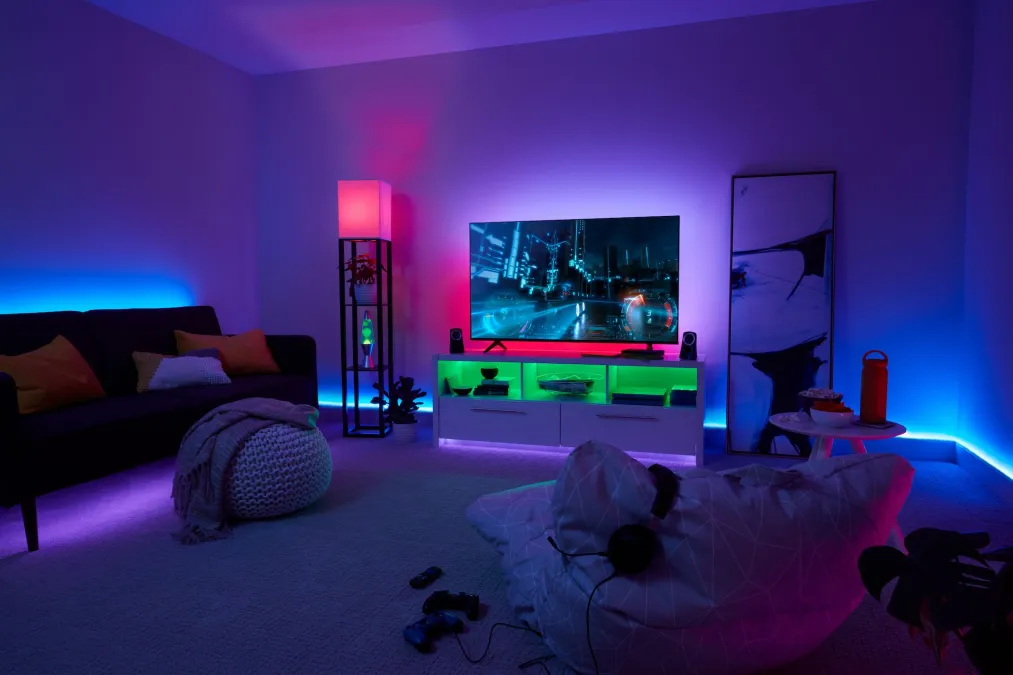
I spent an embarrassing amount of money on smart bulbs before I figured out lighting scenes. For months, I had a living room full of Hue bulbs that I controlled individually, tapping through the app to set each one to the right brightness and color temperature. It was worse than using regular light switches. My partner started leaving sticky notes on the wall: "JUST USE THE LAMP SWITCH."
Then I discovered scenes, and everything clicked. A scene saves the state of every light in a room as a single preset. One tap, one voice command, and the entire room transforms. It sounds simple, but getting scenes right takes some thought. Here's what I've learned after two years of tweaking.
Why Color Temperature Matters More Than Color
Most people who buy smart bulbs immediately crank them to purple or deep blue, show it off to friends, and then never use color mode again. The real value of smart lighting isn't party colors. It's color temperature: the spectrum from warm candlelight (2200K) to cool daylight (6500K).
Your body's circadian rhythm is directly tied to light color temperature. Cool, blue-white light suppresses melatonin and makes you feel alert. Warm, amber light promotes melatonin production and helps you wind down. When you sit under 6500K fluorescent-style lighting at 10 PM, you're telling your brain it's noon. This isn't wellness pseudoscience; it's well-documented photobiology.
That's why the most impactful scenes you can create are based on time of day, not activities.
The Scenes I Actually Use Every Day
Morning (6:30 AM)
This scene runs automatically at 6:30 AM on weekdays. The bedroom lights slowly ramp from 0% to 60% over 15 minutes at 4000K (neutral white). It's genuinely better than an alarm clock. By the time the lights are fully on, I'm already half awake. The kitchen and hallway lights come on at 80% / 5000K so there's no stumbling around in the dark.
Key detail: I set the ramp-up to start 15 minutes before I actually need to be awake. The gradual brightening mimics sunrise, and it's remarkably effective at pulling you out of sleep gently. If you use Hue, the "Natural Light" formula in the Hue app does this well. For other platforms, create a series of timed brightness steps.
Daytime Work (9 AM - 5 PM)
My home office lights sit at 80% brightness and 5000K. I added a bias light strip behind my monitor at the same color temperature, which dramatically reduces eye strain during long screen sessions. The rest of the house dims to 30% since nobody's in those rooms.
One thing I learned the hard way: don't make your work scene too bright. I initially set everything to 100% at 6500K (full daylight) and felt exhausted by 2 PM. Backed it down to 80% at 5000K and the difference was noticeable within a week.
Cooking (Triggered by motion in kitchen)
Kitchen gets 100% at 4000K. You need to see what you're doing when handling knives and hot pans. I tried warm, moody kitchen lighting once and nearly sliced my finger because I couldn't tell if the avocado was ripe or rotten. Under-cabinet lights come on too for counter task lighting.
Dinner
This is where scenes really shine. Dining area drops to 40% at 2700K (warm white). Living room accent lights come on at 20%. Overhead lights off, table lamp on. It takes a room from "corporate cafeteria" to "restaurant" in one voice command. We trigger this one manually because dinner time varies.
Movie Night
All lights to 5% at 2200K (the warmest most bulbs can go). TV bias light on at 15% in a neutral 4000K to reduce eye strain without washing out the picture. If you don't have a bias light strip behind your TV, it's one of the best $20 upgrades you can make. Your eyes will thank you.
Wind Down (9 PM)
This is my favorite automation. At 9 PM, every light in the house transitions to 2200K at 30% over a 10-minute fade. It's a gentle signal that the evening is wrapping up. Bathroom lights shift to warm too, so there's no jarring blast of cold light during the bedtime routine.
Bedtime
Everything off except a dim 5% nightlight in the hallway at the warmest possible temperature. Triggered by saying "goodnight" or by a bedtime routine in the app.
Practical Tips from Two Years of Tweaking
Use transitions, not instant changes
Setting a 2-3 second transition time on scene changes makes them feel natural instead of jarring. Going from full brightness to dim instantly feels like a power outage. A smooth fade feels intentional. Most smart lighting apps have a transition setting; use it.
Include lights that are "off" in your scenes
This was a revelation. If your "Movie Night" scene only sets the living room lights, the kitchen lights stay at whatever they were before. Explicitly set irrelevant rooms to "off" in every scene. It prevents light pollution from other rooms wrecking the atmosphere.
Give scenes names your whole household can say
"Activate circadian protocol alpha" is not a good scene name. "Movie time" is. If you use voice control, test that your assistant recognizes the scene name before committing to it. I had a scene called "Relax Mode" that Google kept interpreting as "Play Relax Music." Renamed it to "Evening Lights" and the problem disappeared.
Don't bother with smart bulbs in closets and utility rooms
Regular bulbs on a dumb switch are fine where you just need to see. Save the smart bulbs for rooms where ambiance and automation actually matter. A smart bulb in the garage is a waste of $15.
Test your scenes at the actual time of day
A scene that looks perfect at night might be invisible during the day when sunlight is streaming in. I designed my "Focus" scene at 10 PM and wondered why it felt dim during the workday. Natural light through windows changes everything. Test and adjust for the conditions when you'll actually use each scene.
Which Lights Work Best for Scenes?
You need bulbs that support adjustable color temperature at minimum. Full RGB color isn't necessary for daily scenes. My top picks:
- Philips Hue remains the gold standard. Expensive, but the scene controls in the Hue app are the most polished, and the Hue Bridge is rock-solid. Worth it for main living spaces.
- IKEA Dirigera + Tradfri is the budget option that actually works. The bulbs support color temperature adjustment, and the new Dirigera hub has improved significantly. About a third of the price of Hue.
- Nanoleaf Essentials run on Thread and work great with Apple HomeKit. No hub required if you have a HomePod Mini or Apple TV 4K.
Whatever you choose, start with the room you spend the most time in. Get one room dialed in before expanding. You'll learn what works for your space and your preferences, and that knowledge makes setting up the rest of the house much faster.