How to Set Up Multi-Room Audio with Sonos
How I Accidentally Became a Whole-Home Audio Person
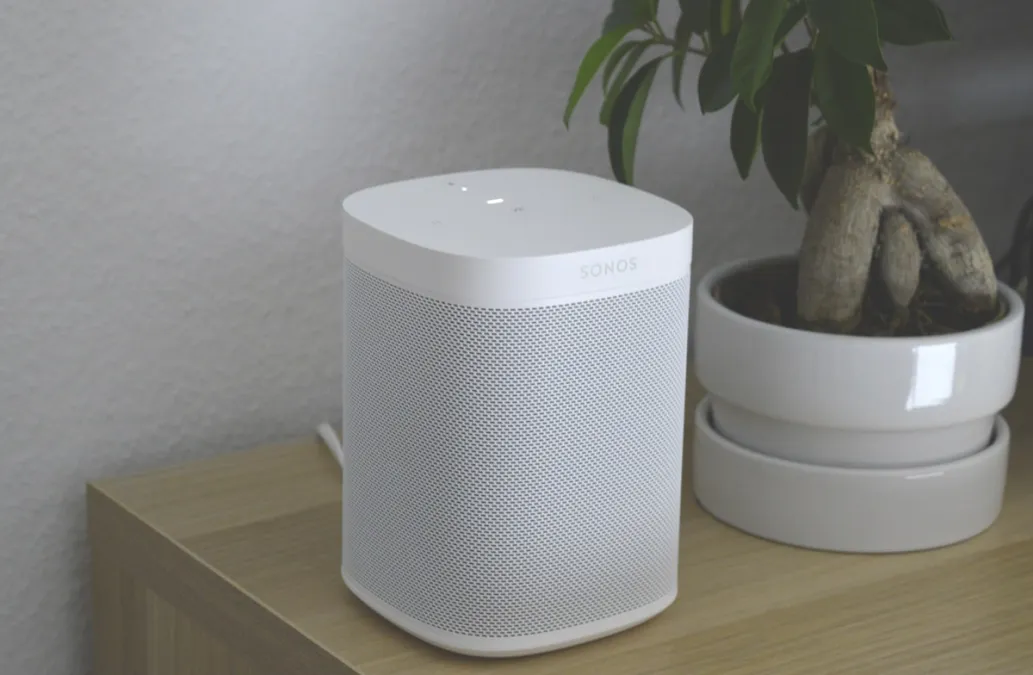
It started with one speaker. A Sonos One in the kitchen, because I was tired of propping my phone against the backsplash and listening to tinny podcasts while cooking. That was two years ago. I now have seven Sonos speakers spread across five rooms, a soundbar in the living room, and a Sub Mini that my wife said we didn't need but now refuses to give up. This is how whole-home audio works: it's a very pleasant slope to slide down.
If you're thinking about doing multi-room audio, whether with Sonos or something else, here's what I've learned from actually living with it -- the stuff the product pages don't tell you.
Why Sonos (And When to Consider Something Else)
I went with Sonos for the same reason most people do: it just works. You plug in a speaker, open the app, scan a code, and it's part of your system. I've set up speakers at friends' houses who barely know what WiFi stands for, and they've had zero issues. That reliability is worth paying for.
The sound quality punches way above what you'd expect for wireless speakers. A single Era 100 fills a bedroom convincingly. A pair of them in stereo sounds legitimately good -- not audiophile-grade, but better than most people's old wired bookshelf speaker setups. And the Era 300 with spatial audio is one of those products where you hear it and immediately understand why it costs what it costs.
That said, Sonos isn't perfect and it isn't cheap. Let me get the honest complaints out of the way:
- The app redesign was rough. Sonos overhauled their app and it was genuinely bad for a while -- missing features, slow performance, reliability issues. It's gotten much better with updates, but the trust hit was real. It's a reminder that with cloud-connected products, the software experience can change after you buy.
- The price adds up fast. A single Era 100 is around $250. A full home theater setup (Arc + two surrounds + Sub) can run $2,500+. You can easily spend $1,500-2,000 covering a modest house.
- No Bluetooth input on older models. Want to quickly play something from a friend's phone who isn't on your WiFi? Newer speakers (Era series, Move 2, Roam) have Bluetooth, but older ones don't.
The Alternatives Worth Knowing About
If Sonos pricing gives you pause, there are real alternatives now. Apple HomePods sound great and integrate deeply with the Apple ecosystem -- if your household is all-Apple, a HomePod in every room is genuinely compelling. Amazon Echo speakers are wildly cheaper and sound decent (the Echo Studio in particular), though the audio quality gap with Sonos is noticeable. IKEA Symfonisk speakers actually run on Sonos's platform at IKEA prices -- the bookshelf speaker and the lamp speaker are real bargains if you're already in the Sonos ecosystem.
For audiophiles, Bluesound is worth a look. It supports higher-resolution audio formats than Sonos and has a similar multi-room architecture. More expensive per speaker, but the sound quality is a step up.
Room by Room: What I Chose and Why
Planning a multi-room system is less about specs and more about how you actually use each space. Here's what I landed on after some trial, error, and one return:
Kitchen: Era 100
The kitchen is where our speaker gets the most use, and a single Era 100 handles it perfectly. It sits on top of the fridge (not the ideal audiophile placement, but kitchens are kitchens), and it fills the room while we cook, eat, and clean up. Voice control is essential here -- your hands are covered in raw chicken, you're not touching your phone. We use Alexa on it, and "Alexa, play my dinner playlist in the kitchen" has become a nightly ritual.
Living Room: Arc + Sub Mini
This is our TV room and our main hangout space, so it pulls double duty. The Sonos Arc as a soundbar is excellent for movies and TV -- dialog clarity is dramatically better than any TV speaker. The Sub Mini adds enough bass to make action movies and music feel physical without annoying the neighbors. For music listening, I group the Arc with the kitchen Era 100 when we're moving between rooms.
I considered a full 5.1 surround setup with rear speakers, but our living room layout doesn't really support it well. The couch is against the back wall, so surrounds would have been right next to our ears. The Arc's built-in Atmos does a surprisingly good job of creating spatial sound on its own.
Bedroom: Era 100
A single Era 100 on the nightstand. Mainly used for falling asleep to ambient sounds (rain, brown noise) and as an alarm. The alarm feature is underrated -- waking up to music that gradually increases in volume is so much nicer than the aggressive beeping of a phone alarm. I have an automation that plays a gentle wake-up playlist at 6:30 AM on weekdays, starting at 10% volume and ramping up over 10 minutes.
Home Office: Era 100
This one almost didn't happen because I already had decent headphones. But having background music from a speaker (instead of headphones) during the workday makes a surprising difference -- you can still hear the doorbell, hear if someone's calling you, and you don't get that ear fatigue from wearing cans for eight hours. I keep it at low volume with instrumental playlists.
Patio: Move 2
The Sonos Move 2 was the one I deliberated on the most, because it's expensive for a portable speaker. But it does something no pure Bluetooth speaker can: it integrates into the whole-home system on WiFi when it's on its charging base on the patio, and I can grab it and take it to the park on Bluetooth when I want. The battery life is genuine all-day. And the sound quality outdoors is remarkable -- it gets loud without distortion.
Setup Tips From Someone Who Learned the Hard Way
Your WiFi Matters More Than Your Speakers
Sonos speakers are only as good as your network. I had constant dropouts and "speaker not found" errors until I upgraded to mesh WiFi. If you're running an old single-router setup and adding six Sonos speakers, you're going to have a bad time. A good mesh system (I use Eero) made every Sonos issue I was having vanish overnight.
One pro tip: if you can run an Ethernet cable to one Sonos speaker, do it. That speaker becomes the anchor of a dedicated SonosNet wireless network that keeps your speakers talking to each other independently of your WiFi congestion. I ran a cable to the Arc behind the TV and the whole system got noticeably more stable.
Run Trueplay. Seriously.
Trueplay is Sonos's room calibration feature, and the difference is not subtle. It uses your phone's microphone to map the acoustics of the room and adjusts the speaker's EQ accordingly. My Era 100 in the kitchen sounded boomy and muddy before Trueplay and clean and balanced after. It takes 60 seconds and you only need to redo it if you move the speaker or significantly rearrange the room.
The catch: Trueplay only works with iPhones. If you're Android-only, you're stuck with the basic auto-tuning. It's fine, but the full Trueplay is noticeably better. Borrow a friend's iPhone if you have to -- it's worth it.
Name Your Rooms Clearly
This sounds trivial, but if you're going to use voice control, naming matters. "Play jazz in the kitchen" works great. "Play jazz in Sonos Era 100 2" does not. Use simple, clear room names that match how you'd naturally say them out loud.
The Grouping Feature That Makes It All Click
The whole point of multi-room audio is grouping, and this is where Sonos really earns its money. Tap a room name while music is playing, select other rooms to add, and the music syncs across every speaker instantly. No perceptible delay, no drift over time, no audio glitches. It's technically impressive and practically delightful.
Saturday morning in our house: I start a playlist in the kitchen while making breakfast. Swipe to add the living room. My wife adds the bedroom from her phone while she's getting ready. The same music follows us through the whole house, and we each adjust volume in our room without affecting the others. This is the experience that makes you understand why people get evangelical about multi-room audio.
For open floor plans, you can create permanent groups so that the kitchen and living room always play together. We use this for our main floor, since those rooms flow into each other and separate audio would be weird and overlapping.
One Last Thing: Build Slowly
My one piece of strategic advice: start with two speakers in your two most-used rooms. Live with them for a month. You'll quickly figure out which room needs one next, because you'll walk in there and miss having music. That organic expansion is way smarter than buying a whole house's worth of speakers at once and trying to figure it all out in a weekend.
It's also easier on the wallet. I spread my purchases over about 18 months, usually buying during sales or with credit card points. The system grew naturally with how our family actually uses music, rather than some theoretical plan I drew up on paper.
Check out our full smart speaker guide for detailed comparisons and reviews of Sonos products alongside other multi-room audio options.