Smart Home Cameras Without a Subscription: Local Storage Options in 2025
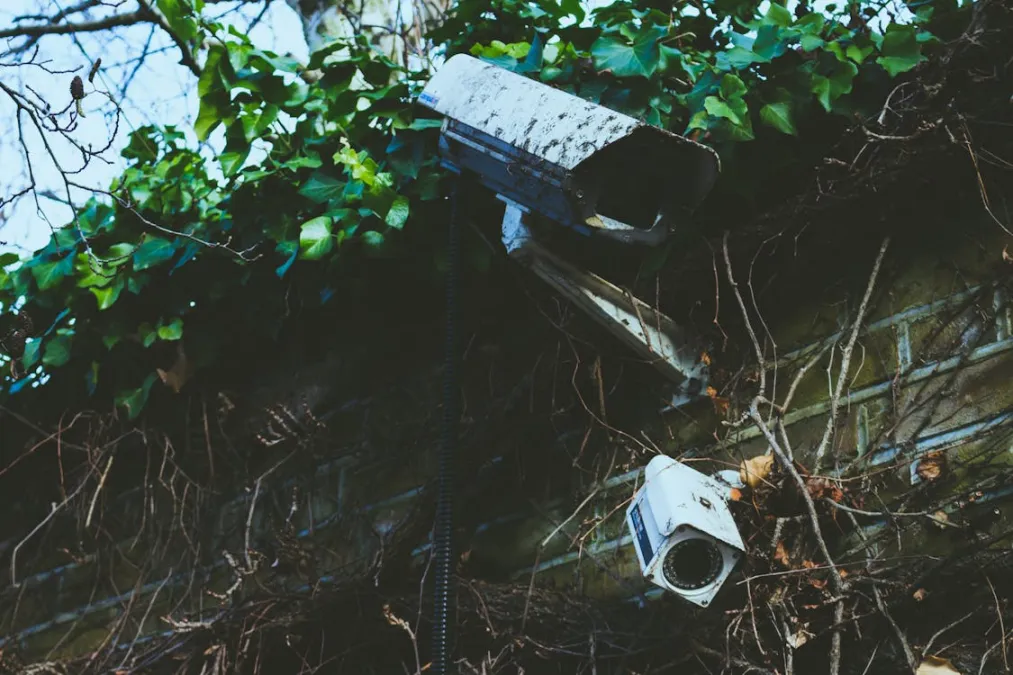
I have seven cameras around my house. If I were paying for cloud subscriptions on all of them, I'd be looking at $70-100 per month. That's $840-$1,200 a year, just to store footage I rarely look at. No thanks.
When I started building out my camera system a few years ago, I made a deliberate decision: no subscriptions. Every camera records locally, I have full access to my footage, and my monthly cost is exactly zero. The upfront investment is higher, but it pays for itself within the first year and keeps paying after that.
Here's what I've learned about every major option for subscription-free security cameras.
Reolink: The Easy Local Storage Winner
If you want a simple, no-nonsense camera that records locally without any cloud requirement, Reolink is where I point most people. They've built their entire brand around not requiring subscriptions.
The Reolink RLC-810A ($55) is an 8MP (4K) PoE camera with a microSD card slot and built-in person/vehicle detection. That's AI detection running on the camera itself, no cloud needed. Image quality is excellent for the price — it genuinely competes with cameras costing twice as much. The RLC-520A ($45) is a 5MP dome camera that's great for covered areas like porches.
For a multi-camera setup, Reolink's NVR kits are hard to beat. The RLK8-810B4-A kit ($400) gets you a 4-camera 4K system with an 8-channel NVR that has a 2TB hard drive built in. Everything records 24/7, you get AI detection alerts on your phone, and there's zero subscription cost. I've been running a Reolink NVR for two years and it just works.
Reolink does offer a cloud plan ($5/month per camera) if you want cloud backup, but it's entirely optional. The cameras are fully functional without it.
Eufy: The Wireless Local Storage Option
Eufy has positioned itself as the privacy-friendly camera brand, and their local storage system is genuinely good. The eufyCam S330 (eufyCam 3) 4-camera kit ($400) comes with a HomeBase 3 that has 16GB of built-in storage plus an expandable hard drive bay. Cameras are wireless with solar panel options, which makes installation way easier than running PoE cable.
The AI detection on Eufy is solid — person, pet, and vehicle detection all happen locally on the HomeBase. The cameras themselves are 4K with good night vision.
The catch with Eufy: they had a privacy scandal in late 2022 when security researchers found that camera thumbnails were being uploaded to cloud servers even when users had cloud storage disabled. Eufy fixed this and claims everything is local now, but it damaged trust. If absolute privacy is your concern, Reolink or a fully DIY setup might give you more peace of mind.
Amcrest: Great Hardware, Utilitarian Software
Amcrest makes solid PoE cameras at good prices. The IP8M-2693EW ($70) is an 8MP turret camera with a microSD slot, AI person/vehicle detection, and RTSP streaming. The build quality is good and image quality is sharp. They also sell NVRs — the NV4108E-A2 8-channel NVR ($180) supports up to eight cameras and comes with a 2TB drive option.
Where Amcrest falls short is the app and web interface. It's functional but feels like it was designed in 2015. It gets the job done, but Reolink's app is noticeably more polished. If you're planning to use Amcrest cameras with a third-party system like Home Assistant or Blue Iris anyway, this doesn't matter much since you won't be using their app.
TP-Link Tapo: Budget King
The TP-Link Tapo C325WB ($40) is surprisingly good for forty bucks. It's a 2K QHD outdoor camera with color night vision, AI detection, and a microSD card slot for local recording. The Tapo app is clean and works well. For someone who just wants a couple of cameras watching the driveway and back door without paying subscriptions, these are hard to beat.
The limitation is that Tapo cameras are WiFi only (no PoE option), and their NVR options are limited. For a 1-3 camera setup they're great, but for a larger system I'd go Reolink.
UniFi Protect: The Premium Local Setup
If budget is less of a concern and you want the best-looking, most polished local camera system, Ubiquiti's UniFi Protect is it. Their G4 Pro camera ($380) and G5 Turret Ultra ($100) are excellent, and the software interface is beautiful. Everything runs on a local NVR (the UniFi Network Video Recorder starts at $310, or you can use a UniFi Cloud Key Gen2 Plus at $200).
The system is completely subscription-free. AI detection for people, vehicles, animals, and even license plates runs locally. The mobile app is one of the best I've used for any camera system.
The downside: you're locked into Ubiquiti's ecosystem. UniFi cameras only work with UniFi Protect NVRs. And the total cost adds up — a 4-camera G5 Turret Ultra setup with the NVR runs about $710. That said, for the quality and polish you're getting, I think it's worth it if you can afford the upfront cost.
Blue Iris: The Windows NVR Powerhouse
Blue Iris is a Windows-based NVR software that costs $65 for a one-time license. It works with virtually any RTSP-compatible camera, which includes nearly every PoE camera on the market. You install it on a Windows PC (an older desktop or a mini PC works fine), connect your cameras, and you've got a full NVR with motion detection, recording schedules, alerts, and remote access.
Blue Iris has been around for ages and has a massive community. The interface looks dated, but the functionality is incredibly deep. You can set up complex motion zones, add AI detection through integration with DeepStack or CodeProject.AI, and access everything remotely through the app or web interface.
A typical Blue Iris setup: a mini PC like the Beelink SER5 ($280) running Windows 11, Blue Iris ($65), a 4TB surveillance-rated hard drive ($100), and four Reolink RLC-810A cameras ($220). Total: $665 for a 4-camera 4K system with AI detection and no ongoing costs.
Frigate + Home Assistant: The DIY King
This is what I run, and I think it's the best option for anyone already using Home Assistant. Frigate is an open-source NVR that runs as a Home Assistant add-on (or standalone Docker container). It supports hardware-accelerated AI object detection using a Google Coral TPU, which means real-time person, car, dog, cat, and other object detection with almost zero CPU usage.
The Google Coral USB Accelerator ($36 when available, prices vary due to supply issues — sometimes $60+ on secondary markets) plugs into your Home Assistant server and processes AI detections in about 10ms. It's genuinely impressive. Frigate uses the Coral for detection and only records clips when objects of interest are detected, which saves a ton of storage compared to 24/7 recording.
My Frigate setup runs on a mini PC with Home Assistant OS, a Coral USB accelerator, and a 2TB SSD for recording storage. Total detection latency from a person appearing on camera to a notification on my phone is under 2 seconds. I get snapshots with bounding boxes showing exactly what was detected.
The downside is complexity. Setting up Frigate involves editing YAML configuration files, configuring RTSP streams for each camera, tuning detection zones, and troubleshooting when things don't work. If you're comfortable with Home Assistant, it's manageable. If you're not technical, stick with Reolink or UniFi Protect.
Scrypted: The HomeKit Bridge
Scrypted is another open-source option that deserves a mention, especially for Apple users. It acts as a camera bridge that can bring RTSP cameras into Apple HomeKit Secure Video, Google Home, or Amazon Alexa. HomeKit Secure Video records to your iCloud storage (which you're likely already paying for) and all AI processing happens on your Apple TV or HomePod.
The benefit is that you can buy cheap RTSP cameras (Reolink, Amcrest, whatever) and get Apple's polished HomeKit camera interface with person/vehicle/animal/package detection. Scrypted handles the protocol translation.
Storage Options: MicroSD vs NVR vs NAS
Each approach has tradeoffs:
- MicroSD cards: Simplest setup. Pop a 128GB card ($12) in the camera and it records in a loop, overwriting old footage. Downside: if someone steals the camera, they get the card with the evidence. Cards also wear out faster with constant writes.
- Dedicated NVR: A standalone box that records from all cameras to an internal hard drive. Reolink, Amcrest, and Ubiquiti all sell these. Reliable, simple, keeps footage centralized and safe.
- NAS (Network Attached Storage): A Synology or QNAP NAS can run surveillance station software and record from RTSP cameras. Good if you already have a NAS for other purposes. Synology Surveillance Station is free for 2 cameras, $50 per additional camera license.
The Cost Math: Subscriptions vs Local
Let's compare a 4-camera setup over 3 years:
Ring (subscription model): 4x Ring Stick Up Cam ($100 each) = $400. Ring Protect Plus plan = $200/year. Three-year total: $400 + $600 = $1,000.
Reolink (local NVR): RLK8-810B4-A 4-camera kit = $400. Three-year total: $400. And you get 4K cameras vs Ring's 1080p.
DIY Frigate: 4x Reolink RLC-810A ($220) + mini PC ($280) + Coral TPU ($40) + 2TB SSD ($80) = $620. Three-year total: $620. But you get AI detection that rivals or beats Ring's, complete local control, and full Home Assistant integration.
The subscription model costs more and gives you less control over your data. The only real advantage of cloud cameras is easier setup and remote access that works out of the box. With local systems, remote access requires either a VPN, port forwarding (not recommended), or a service like Tailscale (free for personal use).
What You Lose Without Subscriptions
I want to be honest about the tradeoffs. Without a cloud subscription, you typically lose cloud backup of footage (if your NVR is stolen or destroyed, the footage is gone), some advanced AI features (Ring's package detection, for example, is cloud-only), and the absolute simplest remote access. Some cameras also lock features behind subscriptions — Wyze and Ring both gate certain detection types behind their paid plans.
For me, the trade is worth it. I control my footage, I pay nothing monthly, and my system is actually more capable than most cloud setups thanks to Frigate. But if you want zero-hassle setup and don't mind the monthly cost, cloud cameras are admittedly easier to get started with.
My advice: if you're buying your first camera, start with a single Reolink with a microSD card. Get comfortable with local storage. If you like it, expand from there — add an NVR, or go the Frigate route if you're feeling adventurous. Your wallet will thank you.