5 Energy-Saving Smart Home Tips for Winter
The Winter My Energy Bill Dropped 31%
Last January, I opened my energy bill and did a double-take. It was $147. The January before -- same house, same family, roughly the same winter temperatures -- it had been $213. That's a 31% drop, and the only thing that changed was how I'd set up my smart home over the previous fall.
Now, I want to be honest upfront: your results will vary. My house is a 1,600-square-foot colonial in the mid-Atlantic, and we heat with a gas furnace and electric everything else. But the principles are the same regardless of where you live or what you heat with. Smart home tech can genuinely save you money in winter -- if you set it up right and don't just rely on the defaults.
The Thermostat Is Everything (But Not the Way You Think)
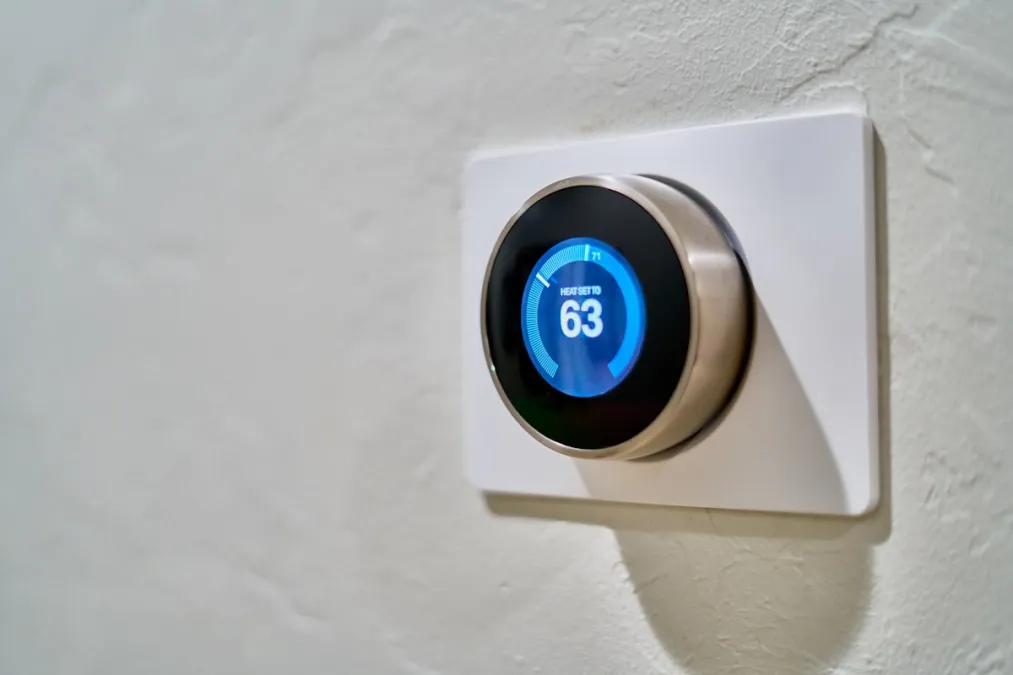
Everyone knows smart thermostats save energy. That's the sales pitch. What they don't tell you is that a smart thermostat with default settings barely saves anything over a basic programmable one. The magic is in the features you have to actually configure.
Geofencing Changed the Game for Me
My wife works from home some days and goes to the office others. I travel occasionally. Our old programmable thermostat ran the same schedule regardless -- heating the house all day Tuesday even though nobody was home because the program assumed someone always was. The geofencing on our Ecobee tracks both our phones and only drops to away mode when we're both gone. I estimated this alone saves us $15-20 a month in winter, because there are at least 6-8 days a month where the house would have been heated for no reason.
Room Sensors Stopped Our Biggest Argument
We used to fight about the thermostat constantly. The thermostat is in the hallway, which runs warm because it's near the kitchen. So the hallway would be 71 degrees while the living room, where we actually sit, was 66. I'd crank the thermostat up, the hallway would hit 74, the furnace would cycle off, and the living room would still be cold.
Ecobee's room sensors solved this completely. I put one in the living room and one in the bedroom, and told the thermostat to prioritize the living room sensor during the day and the bedroom sensor at night. The furnace now heats to the right temperature in the rooms we actually use. We stopped overheating the hallway, which means the furnace runs less, which means lower bills. And fewer arguments, which is priceless.
The Setback That Actually Works
I keep the thermostat at 68 during the day, 63 at night, and 58 when we're away. That nighttime setback was the hardest sell for my wife, but we compromised by getting a better comforter. Honestly, we sleep better in a cooler room now. The Department of Energy says every degree of setback saves 1-3% on heating. Going from 68 to 63 at night for eight hours is real money over a whole winter.
Smart Blinds: The Surprise MVP
I didn't expect much from automating our window coverings. I bought Lutron Serena shades mainly because I was tired of manually adjusting blinds every day. But they turned out to be one of the biggest energy savers in the house.
Here's the setup: south-facing windows open their shades at sunrise to let in free solar heat. Every other window stays closed for insulation. At sunset, everything closes. On overcast days, everything stays closed all day.
The temperature difference is noticeable. On a sunny winter day, our living room (south-facing windows) gets warm enough from solar gain that the furnace barely runs from 10 AM to 3 PM. I didn't measure this scientifically, but I watched the furnace cycling on the Ecobee app, and sunny days with open south shades versus overcast days with closed shades showed significantly less furnace activity.
The insulation factor at night matters too. Cellular shades add a measurable R-value to your windows. It's not like adding wall insulation, but windows are the weakest thermal link in most homes, and every bit helps.
Smart Plugs Revealed Some Uncomfortable Truths
I put energy-monitoring smart plugs on a bunch of devices for a week and the results were eye-opening. Here's what I found:
- Our gaming console in standby: 11 watts, 24/7. That's about $14/year doing absolutely nothing.
- The cable box: 28 watts, constantly. Nearly $36/year. Even when "off," it was drawing almost as much power as when it was on.
- My office computer setup (monitor, speakers, chargers): 23 watts in standby. $30/year.
- The coffee maker: 2 watts when idle. Not worth worrying about.
The entertainment center was the big win. I put the TV, console, and cable box on a smart power strip that kills power to everything when we tell it goodnight. That's roughly $50/year recovered just from phantom loads in one room. I did the same with my office setup -- a smart plug cuts everything when I'm done for the day.
Honestly though, the coffee maker and phone chargers people always warn about? Negligible. Don't waste your time there. Focus on the big draws: entertainment centers, desktop computers, and anything with a transformer brick that stays warm when you touch it.
Lighting Saves Less Than You'd Think (But Still Worth It)
If you've already switched to LED bulbs, automating your lights saves less energy than the thermostat or plug strategies above. LEDs are so efficient that leaving a few on doesn't cost much. But the savings are still real, especially if you have kids.
My motion sensor setup in the kids' rooms and bathrooms eliminated the "every light in the house is on and nobody is in any of those rooms" phenomenon that drives every parent crazy. Lights turn on with motion, turn off after five minutes of no motion. Simple, effective.
I also set all our lights to follow a circadian schedule -- brighter during the day, dimmer in the evening, very dim after 9 PM. The dimming alone reduces wattage (even LEDs use less at lower brightness), and as a bonus, everyone started sleeping better. That wasn't the goal, but I'll take it.
Whole-Home Monitoring: The Thing I Wish I'd Done First
I installed an Emporia Vue energy monitor about six months into my smart home journey, and I wish I'd started with it. It clamps onto your electrical panel and shows you real-time power consumption for every circuit in your house.
It's how I discovered that our old dehumidifier in the basement was using $22/month during winter. Twenty-two dollars. For a dehumidifier we didn't even need running in January because winter air is already dry. I turned it off and felt like an idiot for not catching it sooner.
The monitor also showed me that our dryer costs about $0.65 per load and our electric oven costs about $0.40 per hour. These aren't things I can automate away, but knowing the actual numbers made us more mindful. We started doing fuller dryer loads instead of two small ones. Little stuff, but it adds up.
What Didn't Save As Much As I Expected
In the interest of honesty:
- Smart lighting automation saved maybe $3-4/month. Worth it for the convenience, but don't expect it to pay for itself quickly.
- Hot water scheduling (turning the water heater down at night) saved very little because our tank is well-insulated. If you have an older tank, your mileage may vary.
- Automated fan control using ceiling fan smart switches barely moved the needle in winter. They're much more valuable in summer for reducing AC usage.
The Bottom Line: What to Do This Weekend
If I had to rank these strategies by bang-for-the-buck:
- Smart thermostat with geofencing and room sensors -- this is 70% of the savings. If you do nothing else, do this.
- Kill phantom loads on entertainment centers and office setups with smart plugs. Quick win, real money.
- Automate window coverings if you have the budget. Big impact, but the upfront cost is steep.
- Whole-home energy monitor to find the surprises you don't know about. The dehumidifier I caught paid for the monitor in two months.
- Motion-based lighting in rooms where lights get left on. Modest savings but satisfying.
From $213 to $147, with roughly $180 in annual savings after accounting for all the changes. The devices themselves cost me around $600 total (thermostat, sensors, plugs, and the energy monitor -- not counting the blinds, which were a splurge). That's a payback period of about three and a half years, though the comfort and convenience benefits started on day one.
Check out our guides on smart thermostats, smart lighting, and energy monitors to find the right devices for your home and budget.