Smart Lock Security: A Complete Guide to Keeping Your Home Safe
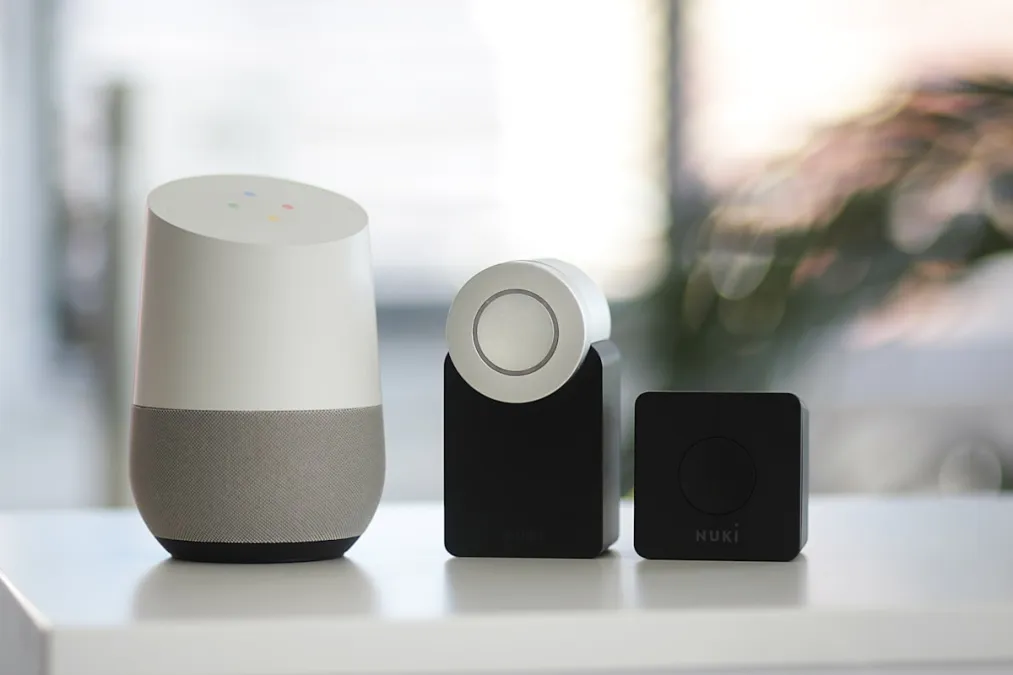
The Night I Locked Myself Out (And Why I Went Smart)
I installed my first smart lock three years ago, standing in my driveway at 11 PM with a screwdriver and a YouTube tutorial. My wife was inside, skeptical. "So now our door needs WiFi?" she said through the window. Fair question. But after losing my keys for the third time that month -- once at a restaurant, once in a coat pocket I'd already checked twice, and once in a place I still haven't identified -- I'd had enough. The deadbolt had to go.
Since that night, I've installed or tested about a dozen different smart locks across two houses. I've locked myself out exactly zero times. I've also learned which security concerns are legitimate, which are overblown, and what actually matters when you're trusting a piece of technology with your front door.
The Security Fears That Keep People Away (And Why Most Are Overblown)
Let's get this out of the way: every time I mention smart locks, someone brings up hacking. "What if someone hacks your lock?" It's the first question, every single time. And I get it -- the idea of a stranger digitally picking your lock sounds terrifying.
Here's the reality check. In the years I've been following smart home security, the number of documented cases where someone hacked a consumer smart lock to break into a home is effectively zero. Not "rare." Zero. Meanwhile, a burglar can bump a traditional deadbolt in about 15 seconds with a $5 tool from Amazon. They can kick in most doors in one or two hits. The weak point in your home security has never been the lock mechanism itself -- it's the door frame, the hinges, and frankly, whether you remembered to lock the door at all.
That said, there are legitimate security considerations. Your lock is only as secure as the account that controls it. If you use "password123" for your lock app and don't enable two-factor authentication, you're asking for trouble. Not from some sophisticated hacker -- from the same credential-stuffing attacks that hit every online account. Treat your lock app like your bank account: unique password, authenticator app for 2FA, and don't share your login with anyone.
What I've Learned Installing Different Locks
The Schlage Encode Plus
This is what's on my front door right now, and it's the lock I recommend most often. The Apple Home Key feature is genuinely magical -- you tap your phone or Apple Watch to the lock and it opens. No app, no fumbling, no waiting for Bluetooth to connect. It just works, the way you'd tap a transit card. The build quality is tank-like, and Schlage has been making physical locks forever, so the actual deadbolt mechanism is ANSI Grade 1, which is commercial-grade security.
The catch? It's HomeKit-only for the smart features. If you're an Android household, look elsewhere.
The Yale Assure Lock 2
Yale took a clever approach here: the lock body is the same, but you swap in different wireless modules depending on your ecosystem. Want WiFi? There's a module. Matter/Thread? There's a module. This means the lock won't become obsolete when protocols change, and it works with basically everything. The keypad is clean and responsive, and I appreciate that it doesn't scream "smart lock" from the street. One thing I noticed: the WiFi module drains batteries noticeably faster than the Thread module. If you have a HomePod Mini or other Thread border router, go Thread.
The August WiFi Smart Lock
August's big selling point is that it retrofits onto your existing deadbolt. You keep your outside hardware and your physical key. For renters, this is huge -- you can install it in ten minutes and take it with you when you move. The auto-unlock feature (using your phone's GPS) is the best implementation I've tested. It reliably unlocks as I walk up to the door about 90% of the time. That other 10% is mildly annoying, but I'd rather have it fail locked than fail open.
The Level Lock+
This one is for the design-obsessed. It fits entirely inside your door -- from the outside, your door looks completely normal. Nobody would ever know it's a smart lock. The tradeoff is that there's no keypad, so you're relying on your phone, Apple Watch, or a physical key. I loved the aesthetics but found the Bluetooth-only connectivity limiting. You need to be close to the door for it to work, and remote access requires an Apple TV or HomePod as a hub.
The Stuff That Actually Matters Day-to-Day
After living with smart locks for years, here's what I've found matters far more than the spec sheet:
Auto-lock is non-negotiable. Set your lock to automatically engage 30-60 seconds after it unlocks. I cannot overstate how much peace of mind this provides. That nagging "did I lock the door?" feeling at 2 AM? Gone. It's locked. It's always locked. My Schlage confirms this with a little beep that I can hear from the couch.
Guest codes change everything. When my in-laws visit, they get a temporary code. When the dog walker comes, she has a code that only works on weekday afternoons. When we had contractors renovating the bathroom, they got a code that expired the day the project ended. No more hiding keys under mats. No more getting copies made. No more wondering who still has a key to your house from three tenants ago.
The activity log is underrated. I can see exactly when my kids got home from school. I can confirm the dog walker actually came on Tuesday. When a package went missing, I could check whether anyone accessed the door during the delivery window. It's not about surveillance -- it's about having information when you need it.
Battery life varies wildly. My Schlage Encode Plus goes about 6-8 months on four AA batteries. The August lasted about 4 months. The Yale with a WiFi module needed new batteries every 3 months, which was frankly annoying. Every smart lock will warn you well before the batteries die, but keep a spare set in a drawer somewhere. And every lock worth buying has a physical key backup or emergency power option -- the Schlage has a key slot, and most others let you hold a 9V battery to the outside contacts in an emergency.
Setting Up Your Lock the Right Way
Before you install any smart lock, spend 15 minutes on your network. Update your router firmware. Make sure you're using WPA3 encryption (or at minimum WPA2). If your router supports it, create a separate network for your IoT devices. This isn't paranoia -- it's good hygiene, the same way you lock your car even in a safe neighborhood.
Once the lock is installed, resist the urge to enable every integration immediately. Start with the basics: the lock app, a few user codes, and auto-lock. Live with it for a week. Then add voice assistant integration if you want it -- but always require a PIN for voice-activated unlocking. You don't want someone yelling through your window "Hey Alexa, unlock the front door." Most platforms support this, and it's usually off by default for good reason.
Geofencing (auto-unlock when your phone is nearby) is convenient but configure it carefully. Set it for specific people, not "any family member's phone." Add a time window so it doesn't auto-unlock at 3 AM when your teenager's phone bounces a GPS signal. And honestly, test it for a few weeks before you rely on it -- GPS accuracy varies by phone and neighborhood.
The Honest Bottom Line
A smart lock isn't going to make your home impervious to break-ins. Nothing will. But it will make your home more secure in the ways that actually matter: your door will always be locked, you'll always know who accessed it, and you'll never leave a key under the mat again. The convenience isn't a compromise on security -- for most people, it's a genuine improvement.
The best smart lock is the one you'll actually use consistently. If you're in the Apple ecosystem, the Schlage Encode Plus is my top pick. If you want flexibility across platforms, the Yale Assure Lock 2 with a Thread module is excellent. And if you're renting or don't want to replace your existing hardware, the August is a no-brainer.
Browse our complete smart lock collection to find the right match for your door and your ecosystem.