When IKEA announced the Dirigera hub as the successor to the TRADFRI gateway, the promise was compelling: a modern hub with Matter support, Thread border routing, and a new app that would bring IKEA's affordable smart home devices into the broader ecosystem. After six months of living with Dirigera, I can report that the reality falls well short of that promise. The Matter implementation is limited and buggy, the IKEA Home Smart app is a downgrade from the already-mediocre TRADFRI app, and the hub introduces more problems than it solves.
I say this as someone who genuinely wanted Dirigera to succeed. I have 14 IKEA Zigbee devices -- TRADFRI bulbs, Fyrtur blinds, and a couple of motion sensors -- and the idea of exposing them to HomeKit and Google Home through a single affordable hub was exactly what I needed. Instead, I ended up migrating everything to a Zigbee coordinator running through Home Assistant, bypassing Dirigera entirely. Here's why.
Design & Build
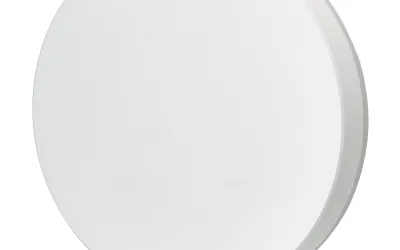
The Dirigera hub is a flat white disc, roughly 5.5 inches in diameter and about 1.5 inches tall, with a matte finish and a subtle pattern of dots on the top surface. IKEA clearly tried to make it look like a modern Scandinavian design piece, and it almost succeeds -- it's inoffensive and vaguely decorative, which is better than most smart home hubs manage. That said, it's noticeably larger than hubs like the Aqara M2 or the SmartThings Station, and it sits flat on a surface rather than tucking away on a shelf edge or mounting to a wall.
The hardware requires both an Ethernet cable and a USB-C power cable, meaning two cables running to one device. This is my biggest design gripe: in 2024, requiring a wired Ethernet connection for initial setup is understandable, but requiring it permanently -- the hub doesn't function over WiFi alone -- means you need to place it near your router. For many people, that means the hub sits in a utility closet or behind a TV stand rather than in a central location optimal for Zigbee range. IKEA includes both cables in the box, but neither is particularly long, further constraining placement options.
Build quality is standard IKEA: functional, lightweight plastic that doesn't feel premium but doesn't feel fragile either. The bottom has a rubber ring to prevent sliding, and there's a tiny reset pinhole on the back. An LED indicator on the front provides status feedback through different colors and blink patterns, though the documentation for what each pattern means is frustratingly vague. Overall, the hardware itself is fine -- it's the software running on it that's the problem.
Features
Dirigera was marketed on three headline features: Matter Controller support, Thread border routing, and a new app experience. Let me address each honestly.
The Matter implementation is the biggest disappointment. On paper, Dirigera acts as a Matter bridge, exposing connected IKEA Zigbee devices to Matter-compatible platforms like Apple HomeKit, Google Home, and Samsung SmartThings. In practice, not all IKEA devices are exposed through Matter -- some older TRADFRI accessories are excluded. Devices that are exposed often have limited functionality: my Fyrtur blinds appear in HomeKit but only support open/close, not the position percentage control that works fine in the IKEA app. Color bulbs lose some color temperature features when accessed through Matter. The whole point of Matter was seamless cross-platform functionality, and Dirigera delivers a compromised version of it.
The Thread border router functionality should be a selling point, creating a mesh network backbone for Thread-based devices to communicate through. But with IKEA's own Thread device catalog still extremely limited, and the implementation having interoperability quirks with non-IKEA Thread devices, this feature is more theoretical than practical for most users today. It might become valuable as IKEA releases more Thread-native products, but right now it's a checkbox feature rather than a genuine benefit.
The IKEA Home Smart app, which replaced the TRADFRI app, is a genuine step backward. It's slow to load (3-5 seconds to reach the main dashboard on my iPhone 14), navigation is confusing with devices buried in nested menus, and the automation engine is significantly less capable than what competitors offer. Creating a simple "turn on lights at sunset" automation requires more taps than it should, and more complex automations (if/then conditions, multiple triggers) are either limited or absent. The old TRADFRI app wasn't great, but it was at least fast and straightforward. The Home Smart app feels like a rushed redesign that prioritized visual refresh over usability.
For Home Assistant users -- and I suspect many people considering Dirigera fall into this category -- here's the uncomfortable truth: connecting IKEA Zigbee devices directly to a Zigbee coordinator (like a Sonoff ZBDongle-P or SLZB-06) through Home Assistant provides better performance, more complete device support, and zero cloud dependency. I made this switch after three months of Dirigera frustration, and it was immediately better. Every device responds faster, all features are fully exposed, and I don't need IKEA's servers to control my own lights.
Performance
Performance is where Dirigera's shortcomings become impossible to ignore in daily use. The most immediate issue is control latency: toggling a light through the IKEA Home Smart app consistently takes 2-3 seconds from tap to light change. For comparison, the same TRADFRI bulb controlled through Home Assistant via a direct Zigbee connection responds in under 0.5 seconds. That 2+ second delay might sound minor on paper, but when you're standing in a dark room tapping your phone and waiting for the lights to come on, it feels painfully slow. The old TRADFRI gateway was faster, which makes this feel like a regression rather than an upgrade.
Automation reliability is inconsistent and difficult to troubleshoot. I set up a simple automation: turn on the hallway light when the IKEA motion sensor detects movement after sunset. This worked about 80% of the time. The other 20%, the motion event either wasn't registered by Dirigera or the automation simply didn't fire. There's no meaningful logging or event history in the app to diagnose why, so troubleshooting consists of deleting the automation and recreating it, which sometimes helps and sometimes doesn't. Scheduled automations (e.g., lights on at 7 PM) were more reliable but still occasionally failed without explanation.
Matter device exposure to external platforms is where things get genuinely frustrating. After pairing Dirigera with HomeKit, my devices initially appeared and worked. Within a few days, individual devices started showing "No Response" in the Home app despite working fine in the IKEA app. Power-cycling the hub sometimes resolved it; sometimes I had to remove and re-add the Matter pairing entirely. Over three months, I went through this process four times before giving up on the Matter integration. Google Home fared slightly better but still had periodic connectivity lapses.
Firmware updates from IKEA arrive every few months and occasionally fix specific bugs, but the pace of improvement doesn't match the scope of the problems. After six months, the core issues -- latency, automation reliability, Matter stability -- remain. IKEA's software development resources clearly aren't at the level of companies like Apple or Google, and it shows in the polish and reliability of the Dirigera platform.
Ease of Use
If you're setting up Dirigera fresh with new IKEA devices, the experience is straightforward but slow. Download the IKEA Home Smart app, create an account, plug in the hub, and follow the pairing prompts. Adding devices involves putting each one in pairing mode and waiting for the hub to discover it -- a process that takes 1-2 minutes per device when it works on the first try. For my 14 devices, initial setup took about 45 minutes including the inevitable re-attempts for devices that didn't pair immediately.
If you're migrating from an existing TRADFRI gateway -- which is the situation most Dirigera buyers are in -- the experience is significantly worse. There's no migration tool. You must factory reset every device, pair each one to Dirigera individually, and manually recreate all your automations, scenes, and room assignments from scratch. For my setup, the migration process consumed an entire Saturday afternoon and involved climbing a ladder to physically reset ceiling-mounted bulbs by power cycling them 6 times (IKEA's Zigbee pairing reset procedure). It's tedious, error-prone, and completely avoidable if IKEA had built a migration utility.
The app's daily usability leaves much to be desired. Finding a specific device requires navigating through a home/room/device hierarchy that adds taps to every interaction. There's no favorites list or quick-access panel for frequently used devices. The automation creation flow is confusing, with ambiguous terminology and limited options. I consider myself reasonably technical -- I run Home Assistant, manage a Zigbee network, and write YAML automations -- and I found the IKEA Home Smart app genuinely frustrating to navigate. For less technical users, the experience would be even more difficult.
Matter pairing with external platforms (HomeKit, Google Home) adds another layer of complexity. The process involves generating a Matter pairing code in the IKEA app, scanning it in the target platform's app, and waiting for device discovery. When it works, it takes about 5 minutes per platform. When it doesn't -- and it frequently doesn't on the first attempt -- you're left power-cycling the hub, regenerating codes, and retrying. I spent nearly two hours getting a stable HomeKit pairing, only to have it degrade over subsequent weeks as described in the performance section.
Value
At around $60, the Dirigera hub is cheap for what it promises: a Matter controller, Thread border router, and Zigbee hub in one device. The problem is that it doesn't deliver on those promises well enough to justify even that modest price. A product that makes your smart home less reliable isn't a bargain at any price -- it's a net negative.
For users with existing TRADFRI setups, my advice is clear: keep your TRADFRI gateway. It's faster, more reliable for basic control, and there's no compelling reason to endure the painful migration process for features (Matter, Thread) that don't work well on Dirigera. The TRADFRI gateway will eventually lose support, but until that happens, it's the better daily-use option for IKEA's own ecosystem.
For new IKEA smart home buyers, I'd encourage you to consider whether IKEA's ecosystem is worth entering at all. The individual devices -- TRADFRI bulbs, Fyrtur blinds, VINDRIKTNING air quality sensors -- are well-priced and decent quality. But they're all standard Zigbee devices that work better with a proper Zigbee coordinator and Home Assistant than they do with IKEA's own hub. A Sonoff ZBDongle-P costs $25 and, paired with Home Assistant, provides faster response times, more reliable automations, complete device feature exposure, and zero cloud dependency. The total cost is similar, and the experience is dramatically better.
If you specifically need a cheap Matter bridge and are willing to accept the limitations, Dirigera is one of the only options at this price point. But the Aeotec Smart Home Hub (SmartThings) at a similar price offers a more mature platform with better Matter support, broader device compatibility, and a significantly better app experience. The calculus doesn't favor Dirigera from any angle I can find.
Pros
- Thread border router built-in
- Supports IKEA Zigbee devices
- Matter support exists (limited)
- IKEA pricing
Cons
- Matter implementation is poor
- App is slow and confusing
- Worse than the gateway it replaced
- Unreliable HomeKit integration
- Slow firmware updates
- Better alternatives exist
Final Grade
The IKEA Dirigera Hub represents a cautionary tale about rushed Matter implementations and the gap between marketing promises and shipping software. The Matter bridge functionality is incomplete and unreliable. The Thread border router is a feature with minimal current utility. The IKEA Home Smart app is slower and less capable than the TRADFRI app it replaced. Automations are inconsistent, device control has noticeable latency, and the migration process from TRADFRI is unnecessarily painful. After six months of trying to make it work, I moved all 14 of my IKEA devices to a direct Zigbee coordinator running through Home Assistant, and the improvement was immediate and dramatic. If you own IKEA smart home devices, keep your TRADFRI gateway or invest in a proper Zigbee setup. Dirigera, in its current state, adds complexity and unreliability without delivering the seamless Matter ecosystem it promised.